
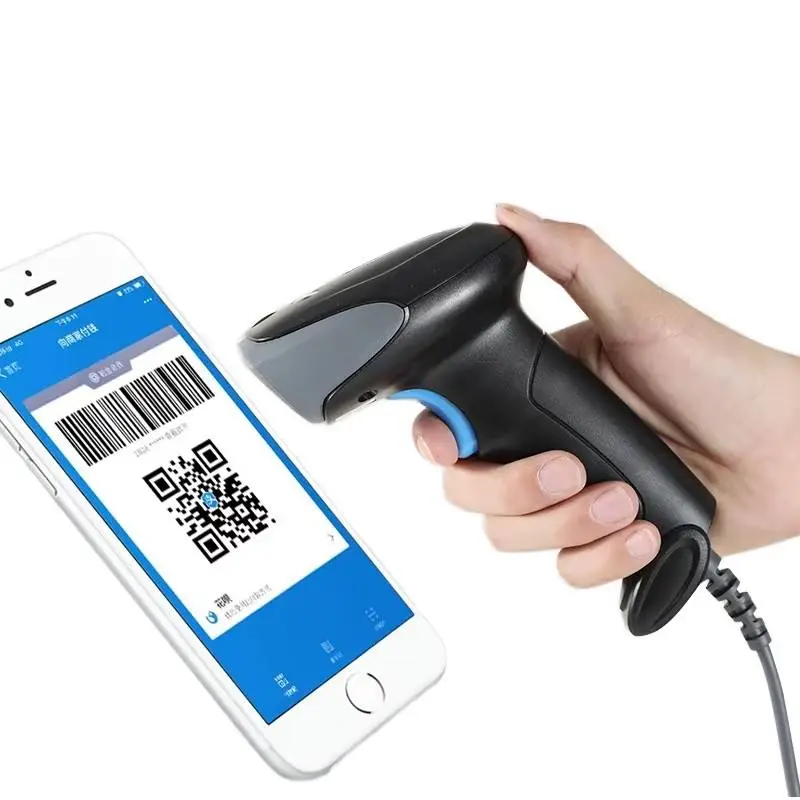

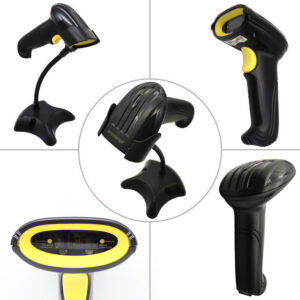
Streamline your supermarket or retail checkout process with our high-performance 1D Barcode Scanner. Designed for accuracy and speed, this handheld device is the perfect solution for busy retail environments, warehouses, and logistics centers. It effortlessly captures data from standard barcodes, ensuring your lines keep moving.
Why Choose This 1D POS Scanner?
Reliability is critical in retail. Our scanner features a highly sensitive Red LED lighting source capable of reading codes with a resolution of ≥3mil. Whether the barcode is slightly damaged, scratched, or printed on reflective material, this scanner delivers a high success rate.
Versatile Scanning Modes
Every workflow is different. That is why this device supports multiple trigger modes. You can use the standard Manual Trigger for precision, or switch to Auto-detective mode for hands-free operation when placed on a stand. It also supports Serial Port Command for advanced integration.
Plug and Play Compatibility
No complicated driver installation is needed. Simply plug the USB cable into your POS system or computer, and you are ready to scan. It supports a wide range of 1D codes including UPC-A, EAN-13, Code 128, and GS1 Data Bar, making it compatible with virtually all retail products.
Technical Specifications
| Product Name | Handheld 1D Barcode Scanner |
| Scanning Module | 1D Image (Red LED Source) |
| Resolution | ≥3mil (High Precision) |
| Scan Modes | Manual Trigger, Auto-detective, Command |
| Decode Capability | UPC, EAN, Code 39, Code 128, GS1, etc. |
| Input Voltage | DC 5V ±0.25V |
| Working Current | 90mA (Scanning) / 28mA (Standby) |
| Working Temperature | -20°C ~ 60°C |
Compatibility Check
Not sure if this scanner reads your specific barcode type?
Contact our technical support for a quick verification.
Learn more about the difference between 1D and 2D barcodes on Wikipedia.
Frequently Asked Questions (FAQ)
Q: Can this scanner read QR codes?
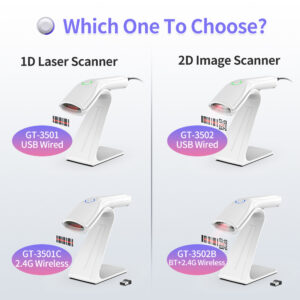
A: No, this is a specialized 1D Barcode Scanner. It is designed for linear barcodes (like those on product packaging). If you need to scan QR codes (squares), please check our 2D scanner models.
Q: Does it work with Windows and Mac?
A: Yes, it acts as a standard input device (HID). It works with Windows, Mac, Linux, and Android systems via USB connection.
Maintenance & Care for Your Handheld Scanner
Your 1D Barcode Scanner is built to last, but like all precision optical instruments, proper care ensures longevity and consistent performance. Here is a professional guide to keeping your device in top condition:
1. Cleaning the Optical Lens
The scanning window is the most sensitive part of the device. Fingerprints, dust, or grease on the glass can scatter the Red LED light, leading to poor reading performance.
How to clean: Use a soft, lint-free cloth (like a microfiber glasses cloth). If necessary, dampen the cloth slightly with water. Avoid harsh chemicals or paper towels that might scratch the lens.
2. Cable Care
The USB cable is often the first point of failure in handheld devices due to constant movement. To prevent internal wire breakage:
– Avoid bending the cable sharply at the handle base.
– Do not pull the scanner by the cord.
– If using the scanner in a fixed position, ensure the cable has enough slack to move freely.
3. Environmental Protection
This scanner works well in temperatures from -20°C to 60°C. However, rapid temperature changes can cause condensation (fog) inside the lens. If you move the scanner from a cold warehouse to a warm office, allow it to acclaimate for 30 minutes before use. Also, while it is durable, avoid dropping it onto hard concrete floors to protect the internal mirrors.
4. Trigger Mechanism
The manual trigger is tested for millions of clicks. To maintain its responsiveness, avoid pressing it with excessive force. A light click is all that is needed to activate the scanning beam. For high-volume scanning, we recommend switching to the “Auto-detective” mode to reduce finger fatigue and mechanical wear.

Reviews
There are no reviews yet.