POS APPLICATION CASES

REAL HARDWARE. REAL-WORLD APPLICATION THINKING.

Explore common project requirements and hardware configurations. The illustrated applications are reference scenarios, not claims of completed customer deployments.

PROJECT SCENARIOS

Explore Our Project Scenarios

Different environments require different POS form factors, operating systems and peripheral connections.

Illustrative boutique retail checkout using touchscreen POS hardware
RETAIL CHECKOUT

Specialty Retail Checkout

A compact counter space benefits from streamlined cashier hardware and an optional customer-facing display.

Hardware check: screen format, printer/scanner pairing and software compatibility.

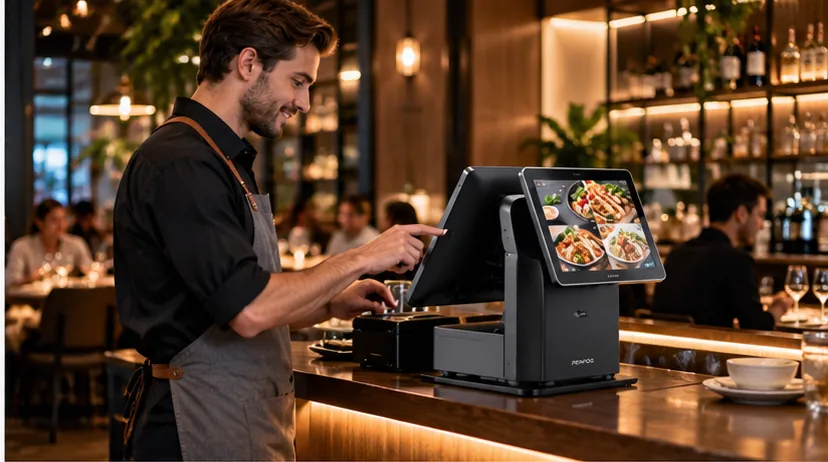
Illustrative restaurant countertop POS hardware in a cafe setting
RESTAURANT POS

Front-Counter Restaurant POS

Food-service ordering requires clear screen interaction, receipt routing and robust daily operation.

Hardware check: touch responsiveness, kitchen routing and interface layout.

Illustrative supermarket checkout POS hardware and grocery shopping application
GROCERY & FRESH FOOD

Fresh-Food Weighing Checkout

Fresh retail combines checkout efficiency with appropriate weighing or label-printing functions.

Hardware check: scale permissions, peripherals and destination-market requirements.

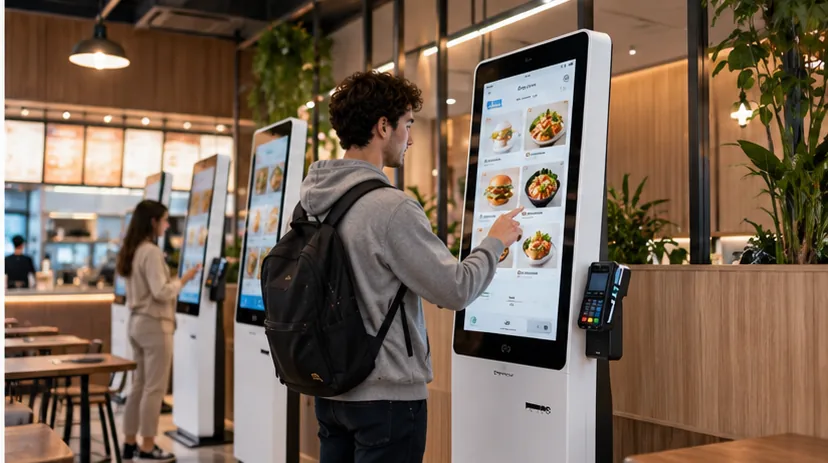
Illustrative self-service POS kiosk deployed in a commercial location
SELF-SERVICE

Self-Service Kiosk Deployment

Self-ordering kiosks need careful planning around mounting, input and payment terminal options.

Hardware check: UI visibility, peripherals, project space and integration.

PROJECT REVIEW

A Practical Case Review Framework

For actual projects, PENPOS can discuss hardware selection and sample evaluation before supply.

STEP A

Identify the workflow

Who operates the terminal? What is the checkout or ordering environment?

STEP B

Confirm the configuration

Decide operating system, CPU, memory, I/O and optional peripherals.

STEP C

Validate before rollout

Evaluate a sample and agree on project tests, packaging and documentation.

BUYER GUIDE

Planning a Dual-Screen Checkout?

See the original customer display guide, including display placement, software behavior and practical project questions.

LET’S WORK TOGETHER

READY TO DISCUSS YOUR POS PROJECT?

Send your target application, preferred operating system, configuration and quantity. Our team can help clarify suitable hardware choices.

Scroll to Top
WhatsAppGet Quote