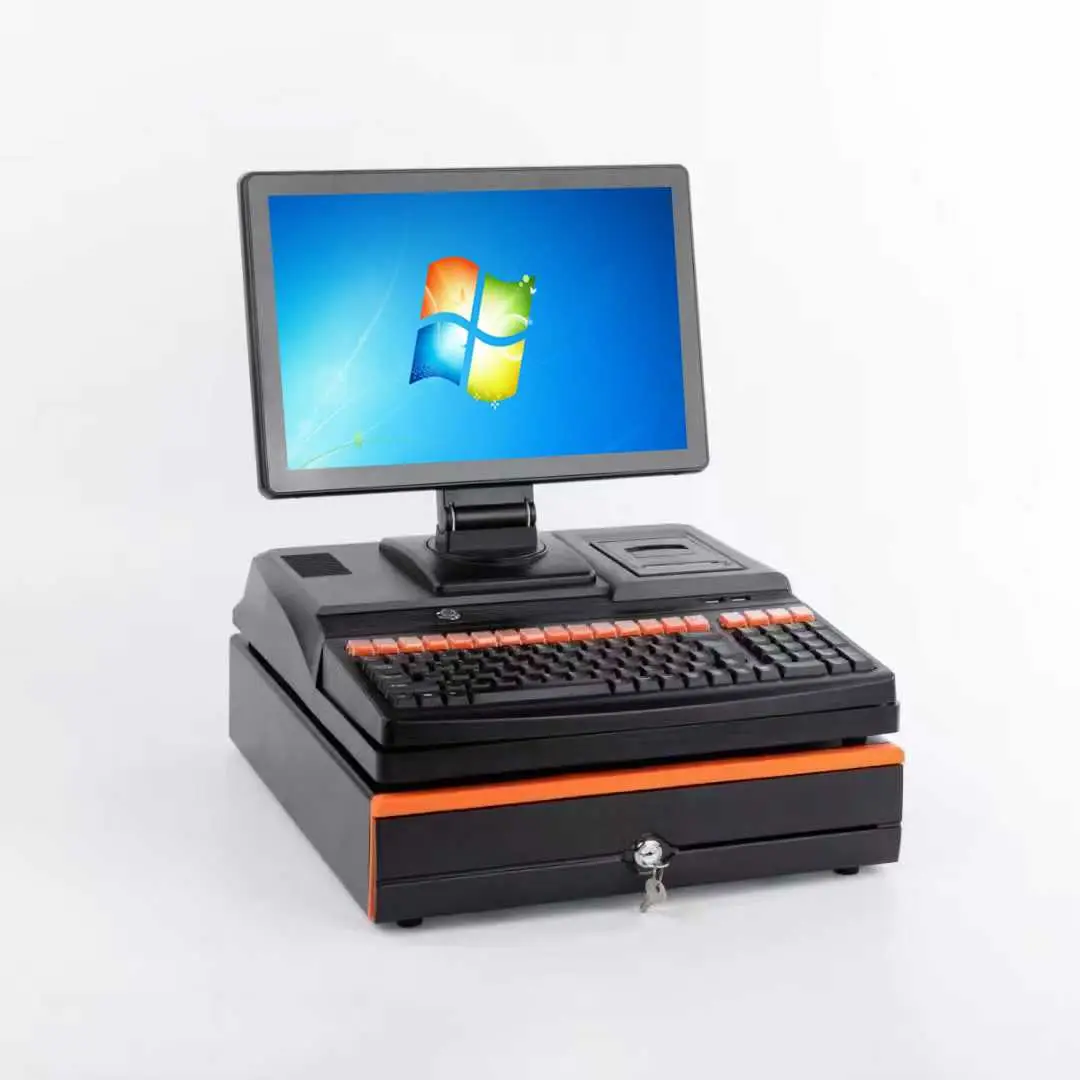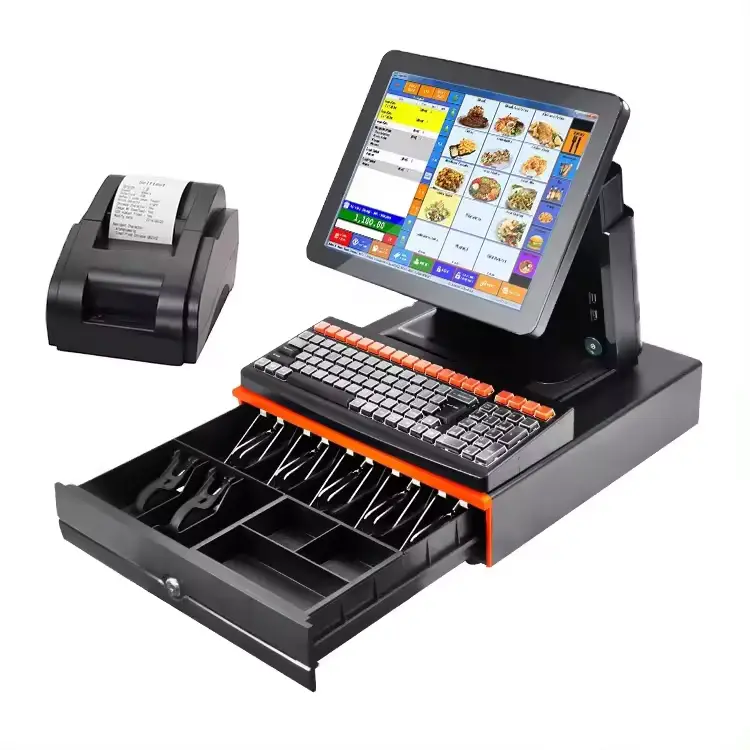

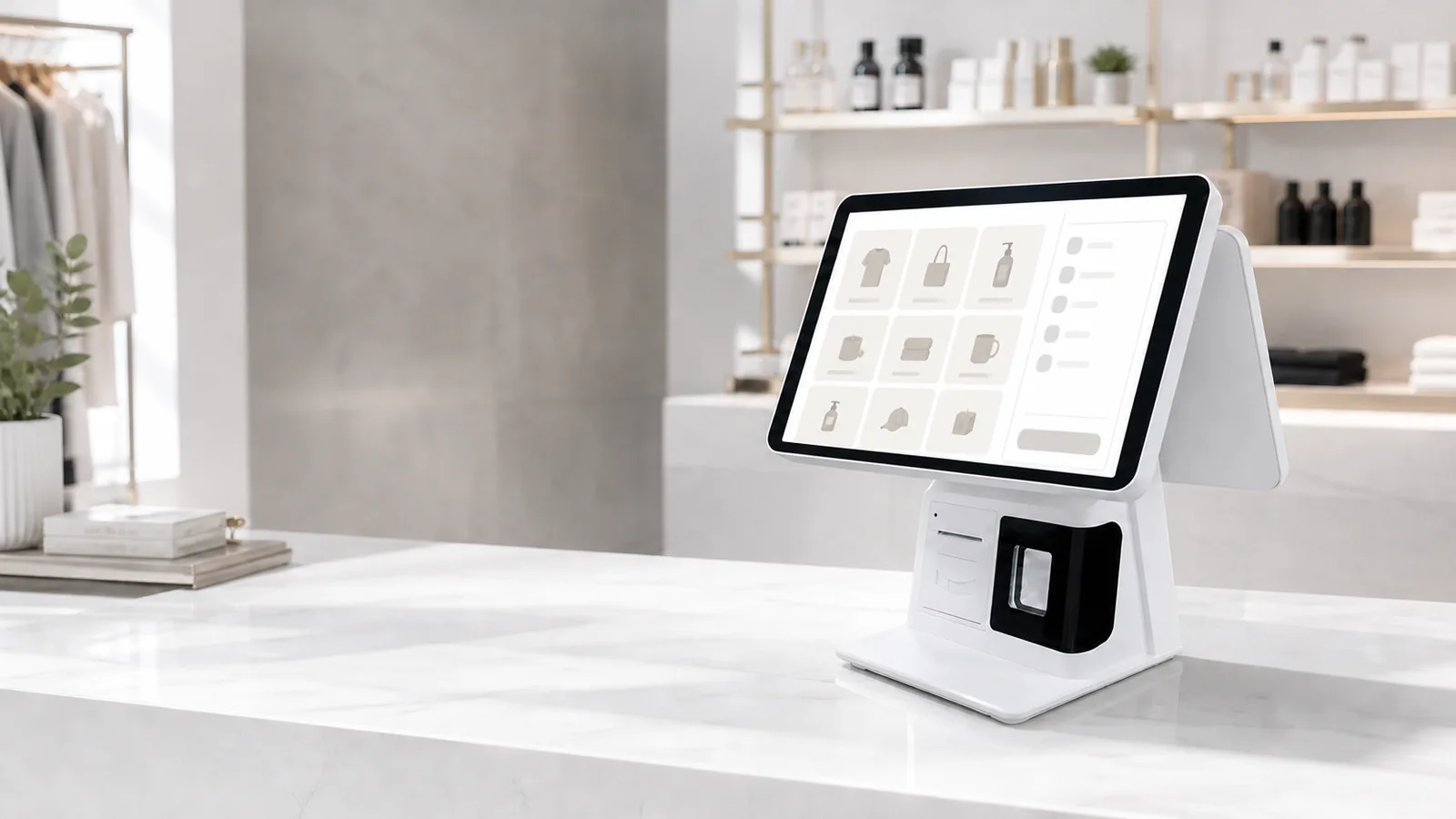
An all-in-one POS system can make a checkout counter cleaner and easier to deploy, but the screen size and processor name are only part of the buying decision. For distributors, POS software companies and system integrators, the more important questions are whether the terminal fits the software, peripherals, counter layout and service plan of the project.
This guide explains the hardware points that B2B buyers should confirm before ordering samples or planning a larger rollout. Shenzhen PENPOS supplies POS hardware; POS software, payment processing and application integration are normally configured by the buyer, software provider or system integrator.
What Is an All-in-One POS System?
An all-in-one POS system combines a touchscreen display and computing unit in one terminal. Depending on the model, it may also support a customer-facing display, built-in receipt printer, barcode scanner, card reader or other modules.
This format is commonly used at:
- Retail checkout counters
- Restaurant and cafe ordering stations
- Convenience stores and pharmacies
- Supermarket service counters
- POS software demonstration rooms
- Franchise and multi-store deployment projects
Compared with a separate PC and monitor, an all-in-one terminal reduces the number of visible devices on the counter. It can also simplify packing and installation. However, buyers still need to check operating system, performance, interfaces and peripheral compatibility carefully.
Start with the Software and Workflow
The best hardware choice begins with the application, not the appearance of the terminal.
Before requesting a quotation, confirm:
- Which POS software will run on the terminal?
- Does the software require Windows or Android?
- What processor, memory and storage does the software vendor recommend?
- Will the terminal connect to a local server, cloud platform or both?
- Is offline operation required, and is it supported by the software?
- Which printer, scanner, cash drawer, scale or customer display must be connected?
- Will the terminal be used continuously during long business hours?
PENPOS can help buyers compare available hardware configurations, but application performance should be verified with the software provider. For a new deployment, a sample unit is usually the safest way to test the complete workflow before bulk purchasing.
Windows or Android: Which Platform Fits the Project?
Windows POS Terminals
Windows terminals are often selected when the buyer already uses Windows-based POS, ERP or inventory applications. They can also be useful when a project requires several USB, COM, LAN or display connections.
Check the exact Windows version supported by the application, along with processor generation, drivers and peripheral requirements. Do not assume that every Windows terminal will support every legacy device without testing.
Android POS Terminals
Android terminals are common in compact checkout, restaurant ordering and app-based retail projects. They can offer a simple device layout and lower power consumption, depending on the model.
Confirm the Android version, processor platform, RAM, storage, Google service requirements and device permissions needed by the POS application. If the software uses a printer, scanner, NFC module or customer display, ask the software team to verify the required SDK or communication method.
A Practical Decision Rule
Choose the platform required by the software and integration plan. Hardware should support the application, not force the project into an unsuitable software environment.
Screen Size and Counter Layout
A larger screen is not automatically better. The right size depends on viewing distance, counter depth, menu complexity and whether a customer display is required.
Common points to review include:
- Available counter width and depth
- Screen viewing angle for the cashier
- Cable exit direction and cable management
- Space for a receipt printer, scanner and payment device
- Need for a secondary customer-facing display
- Mounting method and stand stability
- Access to ports during maintenance
For retail stores with many product buttons, a larger display can improve visibility. A compact restaurant or convenience-store counter may benefit from a smaller footprint. Request dimensional drawings when physical fit is important.
Single Screen or Dual Screen?
A single-screen terminal is suitable when only the operator needs to view the POS interface. It generally uses less counter space and may be easier to pack and service.
A dual-screen terminal adds a customer-facing display that may show order information, promotions or payment instructions, depending on the software. Before selecting one, confirm:
- Display size and resolution
- Connection type
- Whether touch input is needed on the second screen
- How the software manages extended or mirrored displays
- Whether the stand remains stable with the additional display
The customer display function depends on the software. Test the display mode with the actual application before a rollout.
Processor, Memory and Storage
Hardware configuration should be based on the workload. A basic cashier application has different requirements from software that handles large databases, multimedia menus or several connected services.
Ask the software vendor for minimum and recommended specifications, then allow reasonable capacity for updates and future use. Important items include:
- Processor platform and generation
- RAM capacity
- Storage type and capacity
- Cooling design
- Supported operating system
- Availability of replacement or equivalent configurations
For multi-store projects, configuration consistency matters. Confirm whether the same motherboard, display and key components can be supplied for the intended order schedule. Where components may change, agree on the approval process before production.
Ports and Peripheral Compatibility
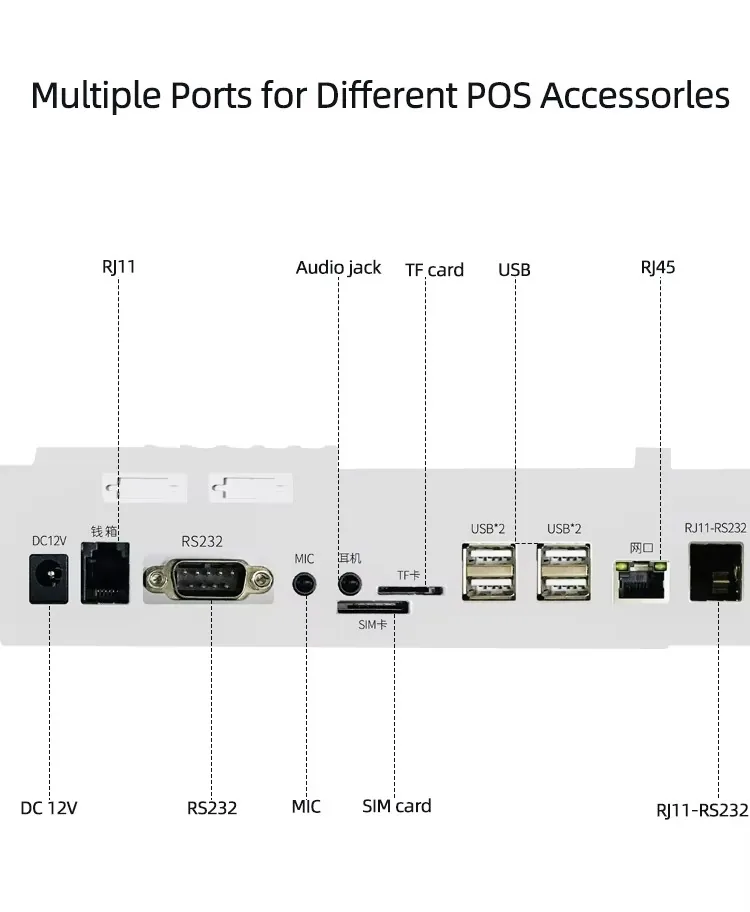
Count every device that will connect to the POS terminal. A project may require more interfaces than expected once printers, scanners, drawers, displays, scales and payment devices are included.
Prepare an interface list covering:
- USB ports and versions
- COM or RS232 ports
- Ethernet LAN
- Wi-Fi and Bluetooth, if needed
- HDMI, VGA or other display output
- Audio connection
- Cash drawer connection method
- Power requirements for external modules
Do not rely only on the number of ports. Confirm connector type, voltage, driver support and communication protocol. If the project uses existing peripherals, provide their model numbers during sample testing.
Explore PENPOS receipt printers and barcode scanners when preparing a complete checkout configuration.
Built-In Printer or External Printer?
A built-in printer can reduce the number of separate devices and is useful for compact counters. An external printer may provide more flexibility for maintenance, paper loading, interface selection and future replacement.
Consider:
- Receipt width required by the software
- Print volume and duty cycle
- Auto-cutter requirement
- Paper roll access
- USB, LAN, Bluetooth or other interface needs
- Kitchen, counter or mobile printing location
- Local replacement and service plan
For restaurants, the front-counter receipt printer and kitchen printer may have different requirements. Treat them as separate workflow components even if both use thermal paper.
Sample Testing Before Bulk Purchase
A sample is not only for checking appearance. It should be used to test the complete system under realistic conditions.
Suggested Test Checklist
- Install the intended POS application.
- Connect every required peripheral.
- Test printing, scanning, cash drawer triggering and customer display output.
- Run the terminal through a realistic working shift.
- Check touch response, heat, cable stability and network reconnection.
- Confirm recovery after restart and power interruption.
- Record the approved hardware and software configuration.
- Share any required changes before the bulk quotation is finalized.
For distributors and software companies, keeping one approved sample as a reference can help with later quality checks and customer demonstrations.
Questions to Include in a B2B Quote Request
To receive a useful quotation, send more than a general request for a POS machine. Include:
- Target market and business application
- Expected order quantity or project quantity
- Windows or Android requirement
- Software name and recommended hardware specification
- Screen size and single/dual-screen preference
- Required printer, scanner, drawer, scale or display
- Interface list
- Logo, packaging or other OEM discussion points
- Destination country
- Sample requirement and expected project schedule
Configuration, customization, documentation and lead time depend on the selected model and order details. They should be confirmed in the formal quotation.
About Shenzhen PENPOS
Shenzhen PENPOS supplies POS terminals, POS scales, receipt printers, barcode scanners, cash drawers, kiosks and related checkout hardware for overseas distributors, software companies, system integrators and project buyers. We focus on hardware selection and quotation support. Software and payment integration are normally handled by the buyer or its technology partner.
Compare our all-in-one POS terminals or contact PENPOS with your software requirements, peripheral list and expected quantity.
Frequently Asked Questions
Does an all-in-one POS system include POS software?
Not necessarily. PENPOS focuses on hardware supply. Software is normally provided and configured by the buyer, POS software company or system integrator.
Can I test my POS software before a bulk order?
Sample testing can be discussed for suitable models. Test the actual application and peripherals before confirming a larger deployment.
Can one terminal connect to a printer, scanner and cash drawer?
Many models support common checkout peripherals, but the required ports, drivers and communication methods must be confirmed for the selected hardware.
Is Windows or Android better for POS hardware?
The better platform is the one supported by the intended software and deployment workflow. Confirm the application requirements first.
Can PENPOS provide a complete POS hardware set?
PENPOS can discuss terminals, printers, scanners, cash drawers and related accessories. The final combination depends on model availability and compatibility requirements.
What should I send for a quotation?
Send the application, quantity, operating system, screen preference, peripherals, destination country and any branding or packaging requirements.